
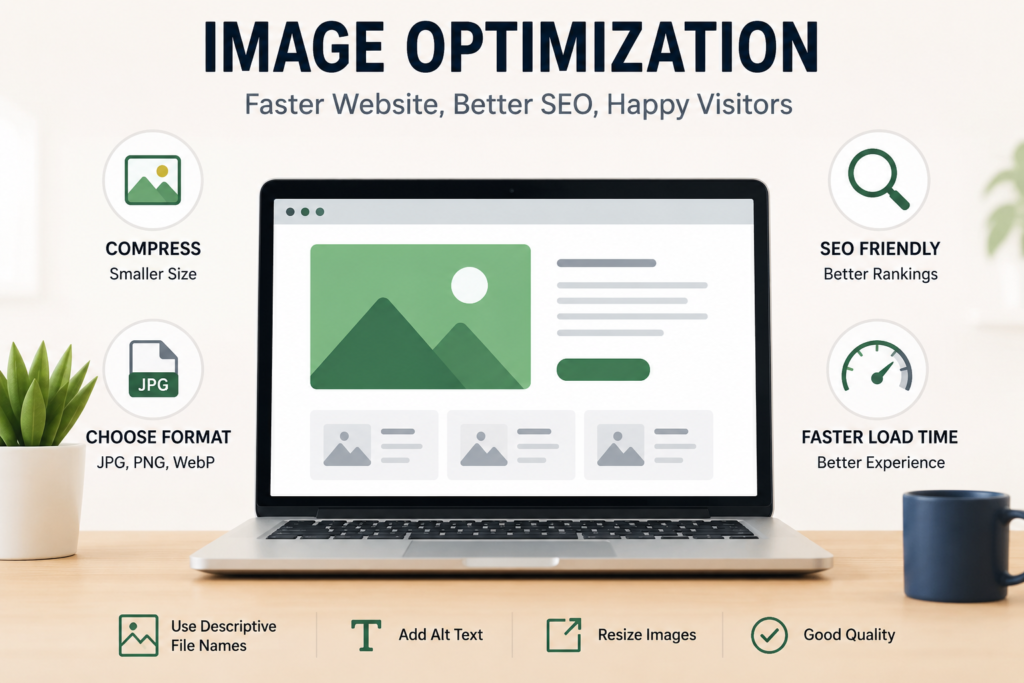
Image Optimization: A Simple Guide to Better SEO
Meta Title: Image Optimization: Simple SEO Tips for Better Websites
Meta Description: Learn simple image optimization tips to improve website speed, SEO, user experience, and Google rankings.
Image Optimization: Why It Matters for Your Website
Images make a website more attractive and easier to understand. A good image can grab attention, explain an idea, and keep visitors interested. But large or poorly optimized images can also make your website slow.
That is where image optimization comes in.
Image optimization means reducing image size and improving image quality without making it look bad. It helps your website load faster, improves user experience, and can also support your SEO efforts.
If you run a business website, blog, or online store, image optimization is something you should not ignore.
What Is Image Optimization?
Image optimization is the process of preparing images for the web. It includes choosing the right format, reducing file size, using suitable dimensions, and adding useful image information.
For example, instead of uploading a 5 MB camera photo to your website, you can compress it to a much smaller size while keeping it clear.
The result?
A faster website with better-looking images.
Why Is Image Optimization Important?
1. It Makes Your Website Faster
Large images can take a long time to load, especially for people using mobile data or slower internet.
Optimized images are smaller, so your pages can load faster. A faster website gives visitors a better experience and can help reduce people leaving your site.
2. It Helps SEO
Google looks at many factors when understanding and ranking websites. Website speed and user experience are important parts of SEO.
Optimizing your images can also help search engines understand what your images are about.
Using descriptive file names and alt text gives Google more information about your images.
3. It Improves User Experience
Nobody likes waiting for a website to load.
When images appear quickly and correctly, visitors can easily read your content, browse products, or find the information they need.
A smooth website creates a better first impression.
4. It Saves Storage and Bandwidth
Smaller image files use less storage space and bandwidth. This can be useful if your website receives a lot of visitors.
It can also help improve website performance without needing to remove images completely.
Simple Ways to Optimize Images
You don’t need to be an expert to optimize your images. A few simple steps can make a big difference.
Choose the Right Image Format
Different image formats work better for different purposes.
JPEG is commonly used for photographs.
PNG works well for graphics that need transparency.
WebP and AVIF can provide good quality with smaller file sizes and are widely used for modern websites.
Choose the format that gives you the best balance between quality and size.
Compress Your Images
Compression reduces the file size of an image.
Before uploading an image, use an image compression tool to make the file smaller. Try to keep the image quality good while removing unnecessary file data.
A smaller image usually means faster loading.
Resize Images Before Uploading
Don’t upload a huge image if your website only displays it at a small size.
For example, if your website displays an image at 800 pixels wide, there is usually no need to upload a 4000-pixel-wide version.
Resize your images to the size you actually need.
Use Descriptive File Names
Don’t use names like:
IMG1234.jpg
Instead, use a simple and descriptive name such as:
digital-marketing-course.jpg
This helps search engines understand the image and makes your files easier to manage.
Add Alt Text
Alt text describes an image for search engines and people who use screen readers.
For example:
“Students learning digital marketing in a classroom”
Keep your alt text short, clear, and relevant. Don’t fill it with unnecessary keywords.
Avoid Over-Optimization
Image optimization is useful, but don’t go too far.
If you compress an image too much, it may become blurry or lose important details. Your goal should always be to find a good balance between image quality and file size.
Also, don’t add keywords to your file names or alt text just for SEO. Keep everything natural and useful.
Final Thoughts
Image optimization is a small SEO task that can make a big difference.
By compressing images, choosing the right format, resizing files, using descriptive names, and adding useful alt text, you can create a faster and more user-friendly website.
You don’t need to optimize hundreds of things at once. Start with the images already on your website and make small improvements.
Better images + faster pages + better user experience = a stronger website.
🖼️ Optimized Image
For your blog, use a clean 1200 × 675 px WebP image with a simple concept: a laptop showing a fast website, with image compression and SEO icons around it. This keeps the visual relevant to the topic without making the page look crowded.